Problem
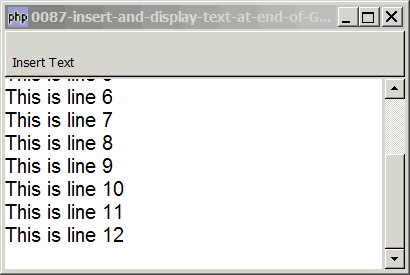
You want to insert and display text at the end of the GtkTextView as shown below:
Solution
- Go to end of buffer with GtkTextbuffer::get_end_iter().
- Insert the text with GtkTextbuffer::insert().
- Scroll to the end of text with GtkTextview::scroll_to_mark().
Sample Code
Note: Click the "Insert Text" toolbar button to insert text at the end of textview.
| 1 2 3 4 5 8 9 10 11 12 13 14 15 16 17 18 23 24 25 26 27 28 29 30 31 32 33 34 36 38 39 40 41 42 43 44 46 47 48 49 50 51 52 53 54 55 56 57 58 60 61 74 75 77 78 79 80 81 82 83 84 | <?php $window = new GtkWindow(); $window->set_size_request(400, 240); $window->connect_simple('destroy', array('Gtk','main_quit')); $window->add($vbox = new GtkVBox()); // define menu definition $toolbar_definition = array('Insert Text'); setup_toolbar($vbox, $toolbar_definition); // Create a new buffer and a new view to show the buffer. $buffer = new GtkTextBuffer(); $view = new GtkTextView(); $view->set_buffer($buffer); $view->modify_font(new PangoFontDescription("Arial 12")); $view->set_wrap_mode(Gtk::WRAP_WORD); $scrolled_win = new GtkScrolledWindow(); $scrolled_win->set_policy( Gtk::POLICY_AUTOMATIC, Gtk::POLICY_AUTOMATIC); $vbox->pack_start($scrolled_win); $scrolled_win->add($view); $window->show_all(); Gtk::main(); // setup toolbar function setup_toolbar($vbox, $toolbar_definition) { $toolbar = new GtkToolBar(); $vbox->pack_start($toolbar, 0, 0); foreach($toolbar_definition as $item) { if ($item=='<hr>') { $toolbar->insert(new GtkSeparatorToolItem(), -1); } else { $stock_image_name = 'Gtk::STOCK_'.strtoupper($item); if (defined($stock_image_name)) { $toolbar_item = GtkToolButton::new_from_stock(constant($stock_image_name)); } else { $toolbar_item = new GtkToolButton(); // no stock item $toolbar_item->set_label("\n".$item); // just display the text label } $toolbar->insert($toolbar_item, -1); $toolbar_item->connect('clicked', 'on_toolbar_button', $item); } } } // process toolbar function on_toolbar_button($button, $item) { global $view, $buffer; echo "toolbar clicked: $item\n"; static $i=0; if ($item=='Insert Text') { ++$i; $iter = $buffer->get_end_iter(); // note 1 $buffer->insert($iter, "This is line $i\n" ); // note 2 $view->scroll_to_mark($buffer->get_insert(), 0); // note 3 } } ?> |
Output
As shown above.Explanation
We make use of the code in How to set up toolbar? to display the toolbar.
What's new here:
- Go to end of buffer.
- Insert text.
- Scroll to end of text.
Read more...