Problem
You have displayed a list of thumbnail images using GtkIconView as described in the article How to display a list of thumbnail images using GtkIconView?
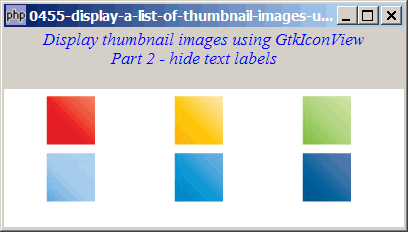
Suppose the images itself are already self-explanatory, and you do not require any text labels beneath each image. You would like to display only the images as shown below:
Solution
Use GtkIconView::set_text_column(-1) to turn off the text column.
Sample Code
Note: The following image files are required by the sample code below. Please save a copy of the image files and put them in the same directory where you store the sample code.
 | square_red.jpg |
 | square_yellow.jpg |
 | square_green.jpg |
 | square_blue.jpg |
 | square_blue2.jpg |
 | square_blue3.jpg |
| 1 2 3 4 5 6 7 8 9 10 11 12 13 14 15 16 17 18 19 20 21 22 23 24 25 26 27 28 29 30 31 32 33 34 36 37 38 39 40 41 42 43 44 45 46 | <?php $window = new GtkWindow(); $window->set_title($argv[0]); $window->set_size_request(400, 200); $window->connect_simple('destroy', array('Gtk','main_quit')); $window->add($vbox = new GtkVBox()); // display title $title = new GtkLabel("Display thumbnail images using GtkIconView\n". " Part 2 - hide text labels"); $title->modify_font(new PangoFontDescription("Times New Roman Italic 10")); $title->modify_fg(Gtk::STATE_NORMAL, GdkColor::parse("#0000ff")); $title->set_size_request(-1, 40); $vbox->pack_start($title, 0, 0); $vbox->pack_start(new GtkLabel(), 0, 0); // add a small gap // Set up a scroll window $scrolled_win = new GtkScrolledWindow(); $scrolled_win->set_policy( Gtk::POLICY_AUTOMATIC, Gtk::POLICY_AUTOMATIC); if (defined("GObject::TYPE_STRING")) { $model = new GtkListStore(GdkPixbuf::gtype, GObject::TYPE_STRING); } else { $model = new GtkListStore(GdkPixbuf::gtype, Gtk::TYPE_STRING); } foreach(array('square_red.jpg', 'square_yellow.jpg', 'square_green.jpg', 'square_blue.jpg', 'square_blue2.jpg', 'square_blue3.jpg') as $img) { $pixbuf = GdkPixbuf::new_from_file($img); $model->append(array($pixbuf, $img)); } $view = new GtkIconView($model); $view->set_pixbuf_column(0); $view->set_text_column(-1); // note 1 $view->set_selection_mode(Gtk::SELECTION_MULTIPLE); $view->set_columns(0); $view->set_item_width(120); $scrolled_win->add($view); $vbox->pack_start($scrolled_win); $window->show_all(); Gtk::main(); ?> |
Output
As shown above.
Explanation
The code above is based on that of How to display a list of thumbnail images using GtkIconView?
What's new here:
- Turn off text column.
Read more...