Problem
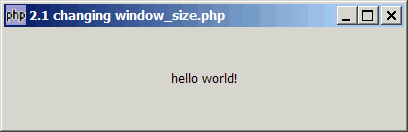
You want to change the size of GtkWindow as shown below:
Solution
Use GtkWidget::set_size_request (int width, int height)
$window->set_size_request(400, 100);
Sample Code
| 1 2 3 4 5 6 7 8 9 10 | <?php $window = new GtkWindow(); $window->set_size_request(400, 100); $window->connect_simple('destroy', array('Gtk','main_quit')); $label = new GtkLabel("hello world!"); $window->add($label); $window->show_all(); Gtk::main(); ?> |
Output
As shown above.Explanation
$window->set_size_request(400,100)sets the window size to width=400, height=100.If you set only the width, e.g.
$window->set_size_request(400,-1)you will get:If you set only the height, e.g.
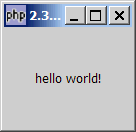
$window->set_size_request(-1,100) you will get:

Note that GTK will adjust the height for you automically to fit the height of the label.
Notes
set_size_request works on most other widgets, including hbox, vbox, buttons, labels, etc.
For example, you can use $label->set_size_request(48,36) to set the size of a label.
Read more...